













Why AI image generators look different in 2026
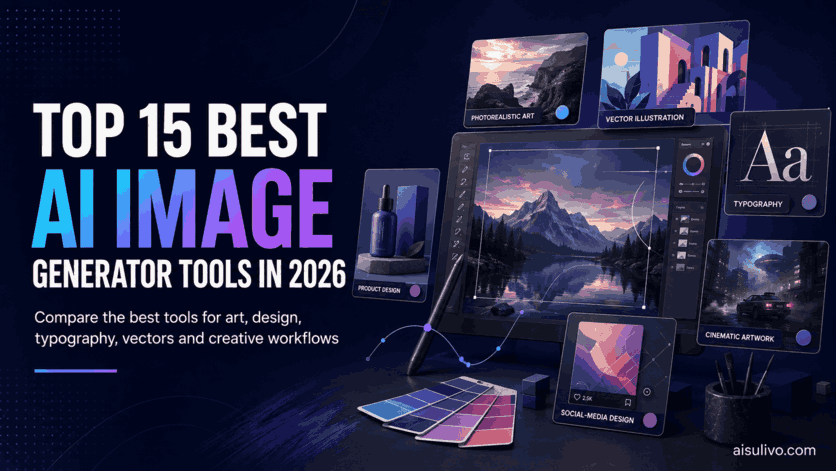
AI image generation in 2026 is no longer one category with one obvious winner. Some tools are built for cinematic artwork, some are better at typography, some generate editable vectors, and others are most useful because they combine image generation with video, design templates, stock assets or developer APIs.
This guide compares 15 of the best AI image generator tools in 2026 based on real creative usefulness rather than popularity alone. We looked at image quality, prompt accuracy, editing control, text rendering, model choice, free access, commercial workflow, API availability and how easy it is to turn an AI image into something you can actually publish.
The ranking includes specialist image generators such as Midjourney and Ideogram, professional design platforms such as Adobe Firefly and Recraft, multi-model suites such as Krea and Freepik, and prompt-discovery products such as MeiGen, PromptHero and Lexica. The best choice depends on what you are creating.
Top 15 AI Image Generator Tools At A Glance
Use the ranked app list under the byline for a quick scan — then open each review below. Bonus lines show free access or plan notes at a glance.
Our Top Picks
- Best Overall Artistic Generator: Midjourney
- Best For Text And Typography: Ideogram
- Best Professional Creative Workflow: Adobe Firefly
- Best For Vectors And Brand Graphics: Recraft
- Best All Round Creative Suite: Leonardo AI
- Best Realtime Generator: Krea AI
- Best AI Plus Stock Ecosystem: Freepik
- Best For Beginners And Social Designs: Canva
- Best For Consistent Characters: OpenArt
- Best For Prompt Discovery: MeiGen AI
How We Ranked These AI Image Generators
A ranking based only on whether an image looks impressive is not very useful. A creator also needs to know whether text renders correctly, whether a bad region can be edited, whether an image can be used commercially and whether the workflow still makes sense after hundreds of generations. We therefore scored the tools across several practical areas.
| Factor | What We Considered |
|---|---|
| Image Quality | Visual coherence, detail, aesthetics and realism where relevant |
| Prompt Accuracy | How closely output follows composition and subject instructions |
| Typography | Ability to place readable text inside generated graphics |
| Editing | Inpainting, background changes, layers, vector editing and iterative control |
| Production Value | Whether the output can move into real marketing, design or publishing work |
| Model Choice | Access to proprietary or third-party image generation models |
| Pricing | Free access, credit systems, subscription structure and value for regular users |
| Commercial Workflow | Licensing clarity, privacy options, team controls and professional use |
| Developer Access | API, MCP or other automation options for products and workflows |
1. Midjourney — Best Overall For Artistic Image Quality
Midjourney remains one of the strongest choices in 2026 when the priority is visual quality rather than simply generating the largest number of images. Its current V8.2 model is built around better aesthetics, stronger personalization and more consistent image quality. Midjourney is particularly good at the kind of work where art direction matters: cinematic scenes, editorial illustrations, fashion concepts, fantasy environments, mood boards and stylized photography.
The platform is no longer just a Discord workflow. Midjourney's web experience gives creators a cleaner way to generate, organize and refine images, while established Discord users can continue working with the bot. Editing tools such as Remix, Vary Region, Pan and Zoom Out make it possible to rescue a strong image instead of repeatedly starting over. Style references and personalization are also useful when a creator wants a repeatable visual taste rather than a completely different look on every prompt.
| Best For | Concept art, editorial visuals, cinematic scenes and premium creative direction |
|---|---|
| Current Model | Midjourney V8.2 |
| Free Plan | No regular free plan |
| Pricing Model | Subscription plans beginning with the Basic tier |
| API | No official general public API |
| What Stands Out |
|
|---|---|
| Where it falls short | Midjourney is not the easiest choice for automated production because it does not offer a general official public API. It is also subscription-only, and highly precise typography or brand layout work can be easier in tools designed specifically around editable design. For pure visual impact, however, it is still one of the first tools worth testing. |
2. MeiGen AI — Best For Prompt Discovery And Multi Model Generation
MeiGen AI takes a different approach from most tools in this ranking by putting a prompt gallery beside the generation workflow. Users can search curated image and video prompts, study examples, reuse an idea and then generate with a selection of current models. That makes MeiGen useful for people whose biggest bottleneck is not model access but knowing what to type.
The platform currently supports image and video model families from several major providers and displays the credit cost before generation. MeiGen does not use a recurring subscription model for its main paid credits: purchased credits are one-time purchases and remain valid under the current terms. New accounts receive welcome credits and daily free credits are available for selected basic models.
| Best For | Prompt inspiration, multi-model generation and creative experimentation |
|---|---|
| Free Plan | Daily free credits for selected basic models |
| Billing | One-time credit purchases rather than recurring subscription billing |
| Developer Access | REST API and open-source MCP server |
| Mobile | Official iOS and Android apps |
| What Makes MeiGen Different |
|
|---|---|
| Best fit | MeiGen is especially useful for prompt learners, AI creators and developers who want inspiration plus multi-model access. It earns the #2 spot because prompt discovery plus multi-model generation is a practical workflow advantage for creators who need ideas and output in one place — not only a single flagship image model. |
3. Ideogram — Best For Typography Posters And Brand Visuals
Ideogram has become much more than the image generator people remember mainly for readable text. Ideogram 4.0 is a production-focused image model with strong typography, prompt fidelity, editing and brand-oriented workflows. It is one of the easiest recommendations for posters, advertising concepts, product graphics, apparel artwork and any image where words need to look like part of the composition rather than a broken overlay.
In 2026 Ideogram also expanded its developer story. The hosted API supports generation, remixing, editing, reframing, background operations, transparent output, upscaling and custom models. The company has also moved toward layer-aware and brand-customized workflows, which matters for teams that need repeatable art direction instead of one-off images.
| Best For | Typography, posters, branding, product graphics and advertising |
|---|---|
| Current Model | Ideogram 4.0 family |
| Free Plan | Free account access is available with plan limits |
| Pricing Model | Credit-based app plans plus usage-based API pricing |
| API | Yes |
| Why It Ranks So High |
|
|---|---|
| Practical take | If Midjourney is the artistic choice, Ideogram is one of the most practical choices for design work that has to communicate something clearly. It is particularly strong when an image needs a headline, product name or deliberate graphic structure rather than only atmosphere. |
4. Adobe Firefly — Best For Professional Adobe Creative Workflows
Adobe Firefly is one of the most complete options for professionals who do not want AI generation to live in a separate website. Firefly connects generative image, video and audio tools with the broader Adobe ecosystem, including Photoshop and Adobe Express. That means an AI image can move naturally into retouching, compositing, typography and final production instead of becoming a dead-end JPEG.
Adobe now mixes its own Firefly models with selected partner models. This is useful because creators can choose the right engine for the job while still working inside a familiar Adobe environment. Firefly also places more emphasis than most consumer generators on business use, administration, commercial safety and enterprise workflows.
| Best For | Designers, agencies, marketing teams and Creative Cloud users |
|---|---|
| Free Plan | Yes with limited daily generations |
| Pricing Model | Generative credit plans and Creative Cloud bundles |
| Image Editing | Strong generative editing and fill tools |
| API | Yes through Adobe Firefly Services |
| Key Advantages |
|
|---|---|
| Who should choose it | Firefly makes the most sense when AI is one step in a larger design process. A professional who already finishes work in Photoshop will usually get more practical value from Firefly than from a generator that produces a beautiful image but offers little control afterward. |
5. Recraft — Best For Vectors Logos And Editable Brand Assets
Recraft deserves a high position because it solves a different problem from most AI art generators: creating graphics that can continue into real design work. Its current Recraft V4 and V4.1 families include raster and vector generation, and the vector output can be far more useful for logos, icons, illustrations, packaging concepts and scalable brand assets than a flat bitmap image.
Recraft also provides vectorization, background removal, inpainting, style creation and upscaling. A Figma plugin helps designers move AI-generated assets into an existing collaborative workflow, while the API makes the platform relevant for production systems that need repeatable graphics at scale.
| Best For | Vectors, logos, icons, brand graphics and design systems |
|---|---|
| Current Models | Recraft V4 and V4.1 families |
| Free Plan | Yes |
| Commercial Use | Paid plans provide ownership and commercial rights under current terms |
| API | Yes |
| Why Designers Should Notice Recraft |
|
|---|---|
| Important licensing note | Recraft's free-plan images have more restricted rights than images created while subscribed to a paid plan. Anyone creating client or commercial assets should review the current ownership rules before publishing. For practical graphic design, Recraft is one of the most specialized and useful AI tools in this list. |
6. Leonardo AI — Best All Round Creative Suite For Images And Motion
Leonardo AI is a strong all-round option for creators who want generation and production tools in the same product. It covers text-to-image, image-to-image, editing, upscaling, custom model workflows and motion features. The platform is especially popular with game artists, concept designers, marketers and creators who need more control than a basic prompt box.
A free tier with a daily token allowance makes Leonardo easier to test than paid-only tools. Paid plans increase token capacity and private generation options, while the developer API is billed separately on a pay-as-you-go basis. Leonardo's API is especially interesting because the company is building a visual-first workflow where developers can test media generation in the interface and then export equivalent implementation settings.
| Best For | Concept art, game assets, marketing visuals and creative production |
|---|---|
| Free Plan | Yes with daily fast tokens |
| Paid Entry | Individual paid plans begin above the free tier |
| Video | Supported through motion and video generation tools |
| API | Yes with pay-as-you-go billing |
| What Makes Leonardo Useful |
|
|---|---|
| Practical take | Leonardo is not the single best tool at every individual task, but it is one of the easiest platforms to recommend to someone who wants one account for generating, refining and repurposing visual assets. |
7. Krea AI — Best For Realtime Generation And Fast Visual Iteration
Krea AI is one of the best tools for creators who think visually and want to iterate before committing to a final render. Its realtime generation workflow can respond quickly as prompts, sketches or references change, making it useful for art direction, mood exploration and design brainstorming.
Krea now combines its own Krea 2 technology with a large catalog of external image and video models. The platform also covers image enhancement, upscaling, video, 3D and node-based workflows. Its developer API exposes dozens of curated models through one integration, which can be attractive to teams that do not want to maintain separate billing and endpoints for every provider.
| Best For | Realtime ideation, image enhancement, video and multi-model creation |
|---|---|
| Free Plan | Yes with daily compute units |
| Paid Entry | Basic plan adds commercial licensing and larger compute allowance |
| Models | Krea models plus a broad selection of partner models |
| API | Yes |
| Where Krea Is Different |
|
|---|---|
| Who should choose it | Krea is ideal for creators who constantly test visual directions and do not want every change to become a slow batch generation. It is also a good fit for teams that want to experiment with many current models without managing every provider separately. |
8. Freepik — Best All In One AI Suite With Stock Assets
Freepik has evolved far beyond a stock-download website. Its AI Suite now combines image generation, image editing, video, voice, mockups, icons and other creative tools with Freepik's existing library of photos, vectors and templates. That combination is useful for people who create marketing content because AI-generated material and conventional stock assets can be mixed inside one broader workflow.
The AI Image Generator supports dozens of models from different providers. Freepik's documentation lists options across Google, FLUX, Ideogram, GPT, Runway, Mystic, Seedream and other model families. Creators can generate from text, add reference images, control composition and style, and move successful output into editing, upscaling or video workflows.
| Best For | Marketing teams, designers and creators who also use stock assets |
|---|---|
| Free Plan | Yes with limited access and attribution conditions |
| Paid Plans | Credit-based plans with commercial AI licensing |
| Model Choice | Dozens of major image-generation models |
| API | Available for supported developer workflows |
| Main Strengths |
|
|---|---|
| Practical take | Freepik may not replace a specialist tool such as Midjourney for high-end art direction, but for a working marketer or designer who constantly needs stock photos, AI images, icons, templates and quick editing, it can be one of the most efficient subscriptions on the list. |
9. Canva — Best For Beginners Social Media And Editable Designs
Canva is not primarily an AI image generator, but that is exactly why it earns a place in the top half of this list. An image is usually only one part of a real deliverable. Canva lets users generate a visual and immediately place it into a social post, presentation, thumbnail, ad, flyer or brand template without moving to another design application.
Magic Media supports image generation and Canva also integrates selected external model experiences. More importantly, Canva's 2026 AI direction is moving toward editable, layered output. Canva AI 2.0 is being introduced as a conversational and agentic creation system built around the Canva Design Model, while Magic Layers can turn flat AI imagery into editable design components. That makes Canva particularly useful when generated content needs text, layout and brand refinement after the initial image.
| Best For | Social media, presentations, marketing graphics and non-designers |
|---|---|
| Free Plan | Yes |
| AI Tools | Magic Media, Magic Edit, Magic Layers and broader Canva AI workflows |
| Editing | Excellent for layout and final design assembly |
| Platforms | Web, desktop and mobile apps |
| Why Canva Belongs In An Image Generator List |
|
|---|---|
| Who should choose it | Canva is the strongest option here for users who care less about being an AI artist and more about finishing usable content quickly. A small business owner making Instagram posts will often get more value from Canva than from a visually superior generator that requires several extra apps to finish the design. |
10. OpenArt — Best For Model Variety And Consistent Characters
OpenArt is a strong choice for creators who want many image and video models inside one studio. Its current plans advertise access to more than one hundred premium image, video and audio models together with editing, consistent characters, personalized models, story creation and Director workflows.
The consistent-character system is especially valuable for comics, branded mascots and short-form storytelling. Instead of treating every generation as a completely new person, creators can build a character identity and reuse it across multiple scenes. OpenArt also offers personalized model training for creators who need a more repeatable subject or style.
| Best For | Consistent characters, stories, multi-model image and video creation |
|---|---|
| Free Access | Limited trial access can be available |
| Paid Plans | Credit-based creator and team plans |
| Model Library | 100+ premium image, video and audio models on eligible plans |
| API | Yes with MCP support for compatible workflows |
| Best Features |
|
|---|---|
| Limitation | A large model catalog can also make the interface feel busier than a single-model product. Credit use varies by model, so heavy video or premium-model users need to watch consumption carefully. |
11. getimg.ai — Best For Multi Model Production And Developer API
getimg.ai is a practical production platform for users who want current image, video and audio models behind one account. Its creator plans include image generation, video generation, music, speech, sound effects, resizing and high-resolution upscaling. Rather than trying to build one proprietary model for every task, getimg.ai focuses on making leading providers easier to use through a consistent interface.
The platform is particularly attractive for teams producing different kinds of media in the same campaign. A designer can generate an image, upscale it, create a video version and produce supporting audio without moving through several unrelated services. The separate developer API uses per-generation pricing and provides transparent usage costs in the response.
| Best For | Production teams, multi-model workflows and developer integrations |
|---|---|
| Main App Free Plan | No permanent free creator plan currently listed |
| Paid Entry | Creator subscriptions begin with an Entry tier |
| Commercial Rights | Included on paid subscriptions under current terms |
| API | Yes with separate pay-as-you-go billing |
| What It Does Well |
|
|---|---|
| Best fit | getimg.ai makes sense for creators and developers who care about throughput and model access more than building a social community or artistic identity around one generator. |
12. Playground AI — Best For Editable AI Graphics And Small Business Design
Playground AI has shifted away from being just another image-generation playground and toward becoming a more practical design editor. Its Playground v3 model was built around graphic design needs such as prompt control, typography, color and layout, and the newer Smart Layers feature makes generated or imported images much easier to edit as actual designs.
Smart Layers can separate objects and text into selectable elements so users can move, resize, rotate, delete or rewrite parts of an image. That is a major usability advantage for posters, stickers, print-on-demand products and social graphics where a single typo should not force a full regeneration.
| Best For | Editable graphics, print-on-demand, social posts and small business designs |
|---|---|
| Free Plan | Yes with generation and download limits |
| Commercial Use | Paid plans include commercial licensing |
| Core Model | Playground v3 plus selected partner models |
| API | Available on higher plans or qualified business access |
| Why It Is Useful |
|
|---|---|
| Practical take | Playground is a better choice for someone making a finished T-shirt graphic than for someone chasing cinematic concept art. Its strength is not only generating the image but letting the user continue editing the design. |
13. NightCafe — Best AI Art Generator Community
NightCafe is one of the most community-driven tools in this list. It supports dozens of image and video models while adding daily challenges, public feeds, creator profiles and fine-tuned model discovery. For hobbyists, that social layer can make AI image generation much more engaging than working alone in a private dashboard.
The platform continues to provide free ways to create. Its official model guide lists free base-generation options alongside modern credit-based models, and daily challenges can be entered without a Pro subscription. NightCafe's current model selection includes tools for photorealism, typography, editing and video, although exact credit costs depend on the selected model and settings.
| Best For | Hobbyists, AI art communities, daily challenges and style exploration |
|---|---|
| Free Access | Yes |
| Model Choice | Dozens of image and video models |
| Community | Daily challenges, feeds and creator interaction |
| API | No public developer API verified |
| Why Creators Like NightCafe |
|
|---|---|
| Limitation | NightCafe is more of a creative community than an enterprise production platform. Teams needing strict private workflows, APIs or deeply integrated design tools will usually prefer another option higher in this ranking. |
14. PromptHero — Best For Finding AI Image Prompts
PromptHero is best understood as a prompt discovery platform that has grown into a broader creative product. Its biggest advantage is still search: users can browse large numbers of visual examples, see the prompts behind them and learn how different models respond to style, lighting, camera and composition language.
The current PromptHero mobile experience also supports AI image and video creation, making the platform more useful than a static prompt archive. Creators can explore community work, remix ideas and move from inspiration to generation without rebuilding every concept from scratch.
| Best For | Prompt research, inspiration and learning how models are prompted |
|---|---|
| Free Plan | Yes with premium upgrades available |
| Mobile Apps | Official iOS and Android apps |
| Image And Video | Supported through current creation tools |
| API | No public developer API verified |
| Where PromptHero Helps |
|
|---|---|
| Why it ranks lower | PromptHero is valuable, but its core advantage is discovery rather than having the strongest proprietary image model. It works best beside a dedicated generator, or as a starting point for creators who want to understand what good prompts actually look like. |
15. Lexica — Best Simple AI Image Search And Prompt Reference
Lexica became popular as a searchable index of generated images and it remains useful for visual research. A creator can search by style, subject or visual idea, inspect related results and use those examples to understand how prompts map to images. Lexica also has its own Aperture generator, with the current interface showing Aperture v5.
Lexica is intentionally simpler than the broad creative suites above it. That can be a benefit when the goal is quick visual discovery rather than managing dozens of models and editing tools. Its current account page lists paid Starter, Pro and Max plans for generation, while personal use of images found on Lexica is available under the site's licensing rules. Commercial use requires the appropriate paid plan.
| Best For | Visual search, prompt references and simple AI image generation |
|---|---|
| Current Generator | Aperture v5 |
| Free Generation | No current permanent free generation plan |
| Commercial Use | Requires an eligible paid plan |
| API | Search API is documented |
| Why Lexica Is Still Useful |
|
|---|---|
| Bottom line | Lexica is no longer the most feature-rich AI image platform, but it is still a convenient research tool. It earns the final position because it is useful for finding ideas quickly even when another generator will ultimately be used for production. |
Which AI Image Generator Should You Choose?

There is no reason to force every project through one generator. A practical workflow in 2026 often uses two or three tools: one for ideation, one for production and one for final design. The table below gives a simpler decision path.
| Your Main Goal | Best Choice | Why |
|---|---|---|
| Premium artistic images | Midjourney | Strong aesthetics and visual direction |
| Posters with readable text | Ideogram | Excellent typography and layout generation |
| Professional Adobe workflow | Adobe Firefly | Generation plus Photoshop and Creative Cloud integration |
| Editable vectors and logos | Recraft | Native vector generation and design-focused tools |
| One broad creative suite | Leonardo AI | Generation, editing, motion and API options |
| Fast realtime experimentation | Krea AI | Realtime creation and many model choices |
| AI plus stock assets | Freepik | Generation, editing and stock resources in one ecosystem |
| Social posts and templates | Canva | Easy finished-design workflow for non-designers |
| Character consistency | OpenArt | Consistent character and personalized model tools |
| Prompt inspiration | MeiGen AI or PromptHero | Visual prompt discovery before generation |
Best Free AI Image Generators In This List
Free access changes frequently because image generation is expensive to run. As of this review, several tools still provide a useful way to start without paying.
- Krea AI: free daily compute with access to realtime creation and selected models.
- Leonardo AI: free daily token allowance for experimentation.
- Adobe Firefly: free daily generations with limits.
- Freepik: limited free access to AI tools and stock resources.
- Playground AI: free image generation with personal-use limits.
- NightCafe: free model options and community credit opportunities.
- MeiGen AI: free daily credits for selected basic models plus a public prompt gallery.
- Canva: free plan with selected AI and design capabilities subject to usage limits.
Free plans are best for testing a workflow. Anyone producing regular commercial content should compare paid rights, privacy and generation limits before choosing a platform only because it has a free button.
AI Image Generator Licensing And Commercial Use
Commercial rights are not identical across these tools. Some platforms allow commercial use on paid plans, some restrict free generations, and multi-model platforms can inherit additional terms from the underlying model provider. Recraft, Lexica, Playground and Freepik are examples where the active plan changes what you can do with generated work. Midjourney and other paid platforms also have plan-specific terms for businesses and private generation.
For client work, advertising, merchandise or assets that will be resold, check the current terms of both the platform and the model used to create the image. Also avoid assuming that an AI service grants rights to third-party trademarks, copyrighted characters, celebrity likenesses or source images that you did not have permission to upload.
Final Verdict
The AI image market in 2026 is no longer about finding one model that beats every other model. Midjourney leads this ranking for artistic quality, MeiGen AI ranks #2 for prompt discovery plus multi-model generation, Ideogram is the standout for typography, Adobe Firefly has the strongest professional ecosystem, and Recraft is unusually good for vectors and design assets. Leonardo AI and Krea AI are excellent broad creative suites, while Freepik and Canva make more sense for people who need finished marketing content rather than isolated AI art.
For a practical workflow, choose the tool that solves the hardest part of your process. If the problem is image quality, start with Midjourney. If it is readable text, start with Ideogram. If it is editable design, start with Recraft, Canva or Playground. If it is model choice, compare Krea, OpenArt, getimg.ai or Freepik. And if the problem is simply finding a strong prompt direction, MeiGen AI and PromptHero can save a surprising amount of time.
Frequently asked questions
What is the best AI image generator in 2026?
Midjourney is our best overall pick for artistic image quality. MeiGen AI ranks #2 for prompt discovery plus multi-model generation. Ideogram is stronger for typography and Recraft is stronger for editable vector design.
Which AI image generator is best for free?
Krea AI, Leonardo AI, Adobe Firefly, Freepik, NightCafe, Playground AI, MeiGen AI and Canva provide some form of free access or free generation, with different limits.
Which AI image generator is best for text in images?
Ideogram is the strongest dedicated choice in this ranking for typography-heavy images such as posters, logos and promotional graphics.
Which AI tool is best for logos and vectors?
Recraft is the best fit for editable vectors, icons and scalable graphics. Ideogram is also strong for logo concepts with typography.
Can AI generated images be used commercially?
Commercial use is often possible but depends on the platform plan, underlying model, source material and current license terms.
Use this ranking as a practical shortlist — then confirm current pricing, commercial rights, and model availability on each official product page before you commit a creative workflow.
Back to topAiSulivo publishes discovery and comparison information about third-party AI products. Unless clearly stated otherwise, AiSulivo is not the owner, developer, or official partner of the tools listed here. Always verify features, pricing, and terms on official product pages.