








How We Ranked These AI Voice Tools
AI voice tools do different jobs. Some generate narration, some edit recordings through transcripts, some read documents aloud, and others capture dictation or transform a live voice. We weighted task fit most heavily, then feature depth, usability, platform coverage, value, integrations, rights clarity, and verified availability. Star ratings did not determine the order.
This is an editorial guide, not a controlled listening test. We checked every current AiSulivo detail page and relevant official product, plan, help, and policy information. Sound still needs human review for names, specialist terms, pacing, emotion, artifacts, speaker identity, and permission.
The Ranked List at a Glance
ElevenLabs leads for broad synthetic speech production, while Murf AI is the structured studio choice. Descript is strongest for editing an existing recording, and Speechify focuses on listening to text. Adobe Podcast improves spoken recordings rather than replacing the speaker.
Riverside Transcriptions supports the recording-to-text handoff. Aqua Voice and AudioPen turn speech into written work in different ways. Voicemaker offers direct browser text to speech, and Voicemod handles live transformation. Most buyers need one primary tool, not ten overlapping subscriptions.
Compare the 10 AI Voice Tools
| Rank | Tool | Best fit | Access | Platforms |
|---|---|---|---|---|
| 1 | ElevenLabs | Expressive narration and broader speech production | Free Plan Available | Web, mobile, API |
| 2 | Murf AI | Structured studio voiceover production | Free Plan Available | Web, API, integrations |
| 3 | Descript | Editing recordings through their transcript | Free Plan Available | Web, Windows, macOS |
| 4 | Speechify | Listening to documents and web content | Free Plan Available | Web, browser, desktop, mobile |
| 5 | Adobe Podcast | Fast cleanup for spoken recordings | Free Plan Available | Web |
| 6 | Riverside Transcriptions | Recording-to-transcript production | Free Plan Available | Web |
| 7 | Aqua Voice | Voice-first drafting and revision | Free Starter Available | Desktop and supported apps |
| 8 | AudioPen | Turning rough speech into organized notes | Free Tier Available | Web |
| 9 | Voicemaker | Straightforward browser text to speech | Limited Free Access | Web, API |
| 10 | Voicemod | Real-time voice transformation | Free Access Available | Windows, macOS |
Access labels describe an entry path, not unlimited production. Generation credits, downloads, export formats, voice cloning, commercial rights, storage, collaboration, and API use can each have separate limits.
Detailed Reviews in Ranking Order
Why it ranks first
ElevenLabs covers text to speech, voice design, dubbing, and related speech workflows in one platform. The current free entry is useful for evaluation, while commercial use and higher allowances depend on plan and terms.
Access and workflow
Free Plan Available; Web, mobile, API. Verify the exact plan.
Strengths
- Broad speech toolkit
- Multiple production paths
Limitations
- Credits shape volume
- Voice consent is essential
Why it ranks second
Murf AI emphasizes a guided studio with voices, timing controls, media placement, and collaboration paths. It ranks highly for teams producing repeatable explainers or training narration, though free access does not include normal download and commercial rights.
Access and workflow
Free Plan Available; Web, API, integrations. Verify the exact plan.
Strengths
- Guided production studio
- Business workflow fit
Limitations
- Free exports restricted
- Paid plan for commercial work
Why it ranks third
Descript is strongest when the source is already recorded. Editors can cut spoken audio and video by editing text, clean sound, and use AI speech tools for eligible corrections. It is broader than a voice generator, but media hours and AI credits still require planning.
Access and workflow
Free Plan Available; Web, Windows, macOS. Verify the exact plan.
Strengths
- Text-led editing
- Audio and video together
Limitations
- Credit and hour limits
- More editor than TTS library
Why it ranks fourth
Speechify is the reader-first option. It turns text and documents into spoken audio across common devices, making it useful for accessibility, study, and reviewing drafts by ear. Its free plan is intentionally limited, and studio production is a different product decision.
Access and workflow
Free Plan Available; Web, browser, desktop, mobile. Verify the exact plan.
Strengths
- Strong listening workflow
- Broad device access
Limitations
- Free voices are limited
- Not a full audio editor
Why it ranks fifth
Adobe Podcast focuses on recording and improving spoken audio rather than generating a synthetic narrator. Enhance Speech and related browser tools can rescue a rough interview or remote recording, but aggressive cleanup still needs headphone review for artifacts and altered tone.
Access and workflow
Free Plan Available; Web. Verify the exact plan.
Strengths
- Simple cleanup path
- Useful browser workflow
Limitations
- Not a narration generator
- Enhancement can overprocess
Why it ranks sixth
Riverside Transcriptions fits teams that need spoken recordings converted into editable text and downstream content. It is valuable after interviews, podcasts, or remote sessions, while final transcripts still need speaker-name, terminology, timing, and sensitive-data review.
Access and workflow
Free Plan Available; Web. Verify the exact plan.
Strengths
- Recording workflow fit
- Useful content handoff
Limitations
- Accuracy varies by audio
- Editing remains necessary
Why it ranks seventh
Aqua Voice is built for speaking a draft instead of typing it. The tool can turn conversational dictation into cleaner written output, making it useful for messages, notes, and first drafts. It ranks below production tools because the final deliverable is text, not finished audio.
Access and workflow
Free Starter Available; Desktop and supported apps. Verify the exact plan.
Strengths
- Fast spoken drafting
- Useful rewriting layer
Limitations
- Starter allowance is limited
- Not an audio production suite
Why it ranks eighth
AudioPen reshapes rambling voice notes into cleaner written material. It suits idea capture, outlines, reflections, and draft briefs when speaking is easier than typing. It is deliberately narrow, and users should review whether the polished text preserves their intended meaning.
Access and workflow
Free Tier Available; Web. Verify the exact plan.
Strengths
- Low-friction capture
- Clear focused use case
Limitations
- Output is text, not audio
- Longer use is paid
Why it ranks ninth
Voicemaker provides a direct route from a script to downloadable synthetic speech, with controls and paid options shaped by characters, voice type, rights, and API usage. It is practical for simple jobs, but the licensing and allowance details need checking before publication.
Access and workflow
Limited Free Access; Web, API. Verify the exact plan.
Strengths
- Direct TTS workflow
- Multiple output controls
Limitations
- Plan details can be complex
- Limited free allowance
Why it ranks tenth
Voicemod serves live voice changing for games, streams, and creator communication rather than polished long-form narration. Its rotating free selection supports experimentation, while the Pro upgrade broadens access. It ranks tenth because the workflow is specialized and responsible use requires clear identity and consent boundaries.
Access and workflow
Free Access Available; Windows, macOS. Verify the exact plan.
Strengths
- Real-time transformation
- Creator-oriented workflow
Limitations
- Narrow production fit
- Free selection rotates
How to Match the Tool to the Audio Job
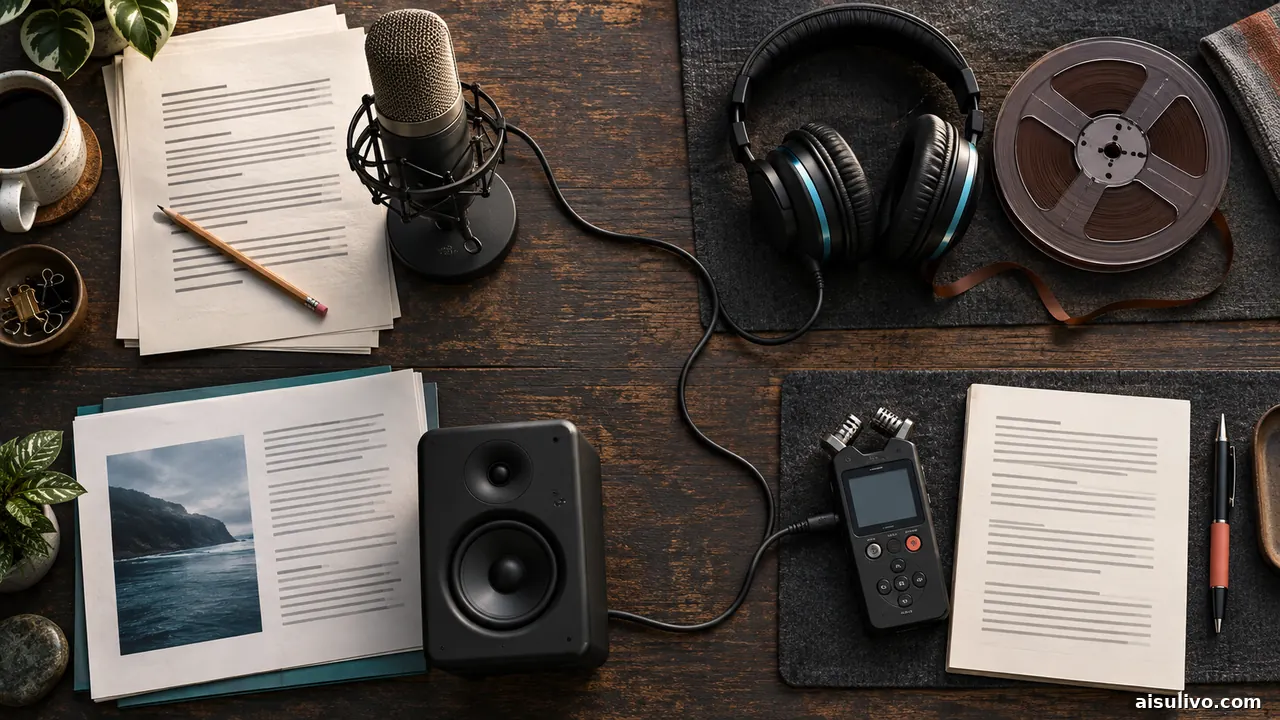
Start with the input and required deliverable. A finished script that needs a narrator points toward text to speech. A recorded interview that needs cutting points toward transcript-led editing. A noisy voice track needs cleanup. A long article you want to consume while walking needs a reader. Spoken ideas that should become prose call for dictation or voice-note restructuring.
- Define the output: publishable narration, editable recording, transcript, live voice, or written draft.
- Test representative material: include names, acronyms, numbers, pauses, and the languages or accents your project actually uses.
- Plan the handoff: check export format, timecode, captions, editing software, and who performs final quality control.
- Keep an original: preserve the raw recording, approved script, and version history before enhancement or regeneration.
Free Access, Voice Rights, and Review

A free plan can demonstrate a workflow while still restricting downloads, commercial use, cloning, premium voices, private processing, or monthly volume. Check the exact product surface as well as the plan: a company may price its reader, studio, and developer API separately. Do not assume that audio created during a free trial is licensed for a client campaign.
Only clone or transform a voice with the speaker's clear permission. Record consent, disclose synthetic speech when needed, and avoid impersonation. Before uploading confidential recordings, review retention, training choices, deletion controls, and workspace access. Check the final export for pronunciation, clipping, artifacts, emotional mismatch, and mistranscription.
Frequently Asked Questions
What is the best AI voice tool for narration?
ElevenLabs is the broadest narration platform in this ranking, while Murf AI provides a more guided studio workflow. The better choice depends on desired control, collaboration, languages, volume, export needs, and commercial terms.
Which AI voice tools have free access?
All ten entries advertise a free plan, tier, starter allowance, trial path, or limited free access. Those routes are useful for evaluation, but they do not all include downloads, commercial rights, premium voices, or enough volume for production.
Is voice cloning safe to use commercially?
It can be appropriate when the speaker has given informed permission and the product terms cover the intended use. Keep consent and license records, restrict access to voice assets, disclose synthetic speech when appropriate, and never use cloning to impersonate someone.
Do I need separate tools for transcription and voice generation?
Often, yes. Some platforms combine both, but their strongest workflow may lean toward one direction. Choose around the primary deliverable and add a second tool only when the handoff, accuracy, or production controls justify it.
Choose the Workflow Before the Voice
Write down the source, destination, rights, review owner, and acceptable failure points before comparing demos. The best tool is the one that fits that chain with the fewest unclear handoffs.
Back to ranked appsAiSulivo publishes independent discovery and comparison information about third-party AI products. Features, limits, pricing, privacy, and licensing can change. Verify current official terms before purchase or commercial publication.